One Week to CKA: Experience Sharing
I’ve long wanted to obtain a cloud-native & k8s related certification, and the sooner the better. Due to work, I kept postponing it until this year, and I watched its price increase twice (which is a bit painful to mention).
Recently, I finally had a week free to fully prepare for the exam. Since I have been using Kubernetes in my production environment at work, my plan was to absorb more exam points and do a lot of practice questions before the exam.
Below, I summarize my CKA exam journey over the past week, hoping it will be helpful to you.
Comprehensive Understanding of CKA
1. What is CKA?
CKA stands for Certified Kubernetes Administrator, which is the first Kubernetes-based certification offered by CNCF. The entire exam consists of practical questions, and the invigilation is extremely strict, making CKA one of the most recognized and valuable Kubernetes certifications globally.
2. How long is the CKA certificate valid?
The CKA certificate is valid for 3 years, but starting from April 1, 2024, the validity period for newly certified CKA certificates will change to 2 years. Candidates who pass the exam and obtain the certificate before April 1, 2024, will still have a 3-year validity period.
After the certificate expires, you need to retake the exam and meet the exam requirements. The exam is conducted online, with a duration of 2 hours, consisting of 17 questions, a total score of 100, and a passing score of 66.
3. What is the use of CKA?
For companies, Kubernetes Certified Service Providers (KCSP) generally require 3 CKA holders. For individuals, obtaining a CKA certification is an important indicator of their learning outcomes. It not only allows for systematic learning of knowledge but also serves as proof of technical capability to potential employers.
4. Comparison Analysis of CKA, CKAD, and CKS
In fact, the CNCF foundation mainly offers these three Kubernetes-related certifications, each with different focuses, allowing candidates to choose based on their actual situation.
- CKA: Certified Kubernetes Administrator, focuses on Kubernetes system administration, such as basic installation, configuration, and management of production-grade clusters, involving key concepts like Kubernetes networking, storage, security, maintenance, logging, monitoring, application lifecycle, troubleshooting, and API object primitives.
- CKAD: Certified Kubernetes Application Developer, focuses on designing, building, and deploying cloud-native applications on Kubernetes, such as using Kubernetes core primitives to create/migrate, configure, expose, and observe scalable applications.
- CKS: Certified Kubernetes Security, focuses on Kubernetes security, such as building, deploying, and runtime protection of containerized applications and Kubernetes platform security.
By preparing for the three certifications, CKA covers a broader range of knowledge and is relatively more difficult. If you pass the CKA and then take the CKAD or CKS, you will find it easier to pass, as 60-80% of the knowledge points are interrelated.
5. What are the main knowledge points covered in the CKA exam?
Part 1: Cluster Architecture, Installation, and Configuration (25%):
- Managing Role-Based Access Control (RBAC)
- Installing a basic cluster using Kubeadm
- Managing a highly available Kubernetes cluster
- Setting up infrastructure to deploy a Kubernetes cluster
- Performing version upgrades on a Kubernetes cluster using Kubeadm
- Implementing etcd backup and restore
Part 2: Workloads and Scheduling (15%):
- Understanding Deployments and how to perform rolling updates and rollbacks
- Configuring applications using ConfigMaps and Secrets
- Understanding how to scale applications
- Understanding the primitives used to create robust, self-healing application deployments
- Understanding how resource limits affect Pod scheduling
- Understanding manifest management and general template tools
Part 3: Services and Networking (20%):
- Understanding host network configuration on cluster nodes
- Understanding connectivity between Pods
- Understanding ClusterIP, NodePort, LoadBalancer service types, and endpoints
- Understanding how to use Ingress controllers and Ingress resources
- Understanding how to configure and use CoreDNS
- Selecting the appropriate Container Network Interface (CNI) plugin
Part 4: Storage (10%):
- Understanding StorageClasses and Persistent Volumes
- Understanding volume modes, access modes, and volume reclaim policies
- Understanding Persistent Volume Claim (PVC) primitives
- Understanding how to configure applications with persistent storage
Part 5: Troubleshooting (30%):
- Evaluating cluster and node logs
- Understanding how to monitor applications
- Managing container standard output and standard error logs
- Troubleshooting application failures
- Troubleshooting cluster component failures
- Troubleshooting network issues
CKA Pre-Exam Preparation
Registration and Payment
Registration link: https://training.linuxfoundation.cn/certificates/1
The price has increased compared to before, so it’s recommended to wait for Black Friday when there’s usually a 50% discount.
You can choose between Chinese or English invigilation. It’s suggested to choose Chinese, although the difference is not significant, and even if the questions are in English, they are generally understandable.
After successful registration, log in to the backend and note down the exam voucher code, which will be needed later.
Activating the Exam Code
Refer to the following link for the entire exam process: https://training.linuxfoundation.cn/news/308
Step 1: Register a Linux Foundation ID (LFID). Make sure your name matches your ID card, passport, and real-name authentication, otherwise, you may not pass the exam reservation.
Registration and exam reservation link: https://trainingportal.linuxfoundation.org/
Step 2: Use the previously obtained exam voucher to register for the exam. Normally, without registering for the exam, the voucher is only valid for 1 month. After registering, the voucher is valid for 1 year.
Step 3: Schedule the exam
- Exam time: The entire exam lasts 2 hours. It is recommended to choose a time slot around 1-2 AM Shanghai time, as the exam servers are overseas, and this time slot is less likely to experience lag.
- Exam language and invigilation language: Choose Chinese directly.
- Computer environment check: Before the exam, you need to check the exam system environment. It is recommended to use Chrome. Do not install PSI in advance; install it half an hour before the exam. The day before the exam, it is recommended to disable or uninstall software like Sunflower, Todesk, VMware, and Lemon, as these can cause delays.
Once the reservation is successful, you can start preparing for the exam.
Precautions for the Exam Environment
Before the exam, it is recommended to have a VPN ready, but it is suggested not to use it during the exam unless your network is extremely slow, causing you to be disconnected from the exam system. In that case, you can use the VPN.
From pre-exam preparation to entering the actual exam, the following five steps are required:
- Step 1: PSI environment check. You must pass this check to proceed with the exam. It is essential to start this process half an hour before the exam, as it can take about 20 minutes.
- Step 2: Facial recognition, which requires taking a photo with your computer’s camera.
- Step 3: Identity verification, where you need to take photos of your ID card and passport with the camera. The invigilator will check these.
- Step 4: The invigilator will ask you to show your surroundings with the laptop camera. There should be nothing on or under the table, and no items within 1 meter. No one should be talking near you, and it is best to place your phone more than 1 meter away where the invigilator can see it.
- Step 5: The invigilator will ask you to raise your hands to check if you are holding anything and if you have earplugs in your ears.
Once all the above is confirmed, the invigilator will ask if you are ready to start the exam. Confirm with “OK,” and the exam time will begin from this point.
Exam Time, Questions, and Results
The reason for highlighting the exam time is that the total exam duration is 2 hours, with 17 questions. This can feel both long and short.
Since the exam server is in the US, you may frequently encounter lag, which can make answering each question take longer.
For those with very limited preparation time, it is recommended to place a clock or wear a watch opposite your computer, as the exam system time is in US time, making it easy to lose track of time.
Regarding the exam questions, it is suggested to start with the simpler ones, as 60-70% can be solved via command line;
Remember to execute kubectl config context xxxxk8s to select the specified cluster for each question;
Questions involving PV/PVC, Netpol, and YAML writing should be done later, and cluster upgrades can be left for last.
Generally, the results will be available 24 hours after the exam, with a passing score of 66. If you cannot enter the exam due to environmental issues, contact the invigilator as soon as possible. If the result is unsatisfactory, you have one more chance to retake the exam, and you can reschedule directly.
Question Analysis
Below are eight sample questions collected from the internet, which I personally found slightly challenging. These questions are similar in type to the actual exam questions, and it is recommended to try them out. Therefore, if you can write Kubernetes resource object YAML files by hand, do so, as it will save more time.
|
|
CKA Exam Summary
Finally, here is a CKA certificate to wrap things up:
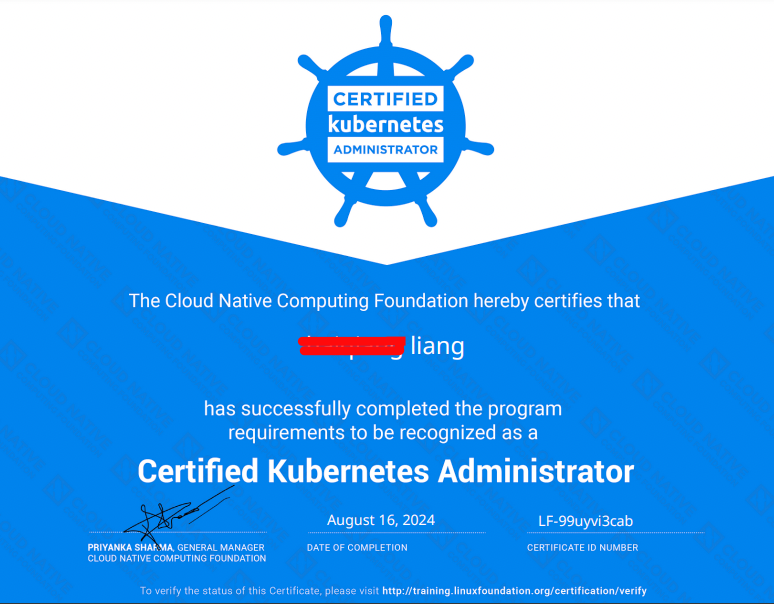
Overall, the CKA certification exam is moderately difficult. I believe that practical Kubernetes skills are crucial, especially for DevOps engineers.
To achieve a high score, there are no shortcuts—just absorb the knowledge points listed above, practice a lot, and get hands-on experience.
Lastly, I want to say that the exam is just a formality. The goal is to prove your proficiency in k8s and ultimately apply these skills in your actual work.