Create Helm Repository
First, create a basic Helm template repository:
For actual deployments, you’ll need to customize the Helm template according to your business requirements. Here, we directly use an internal custom generic template for rapid deployment. Alternatively, you can refer to Bitnami’s maintained Helm charts: https://github.com/bitnami/charts/tree/master/bitnami
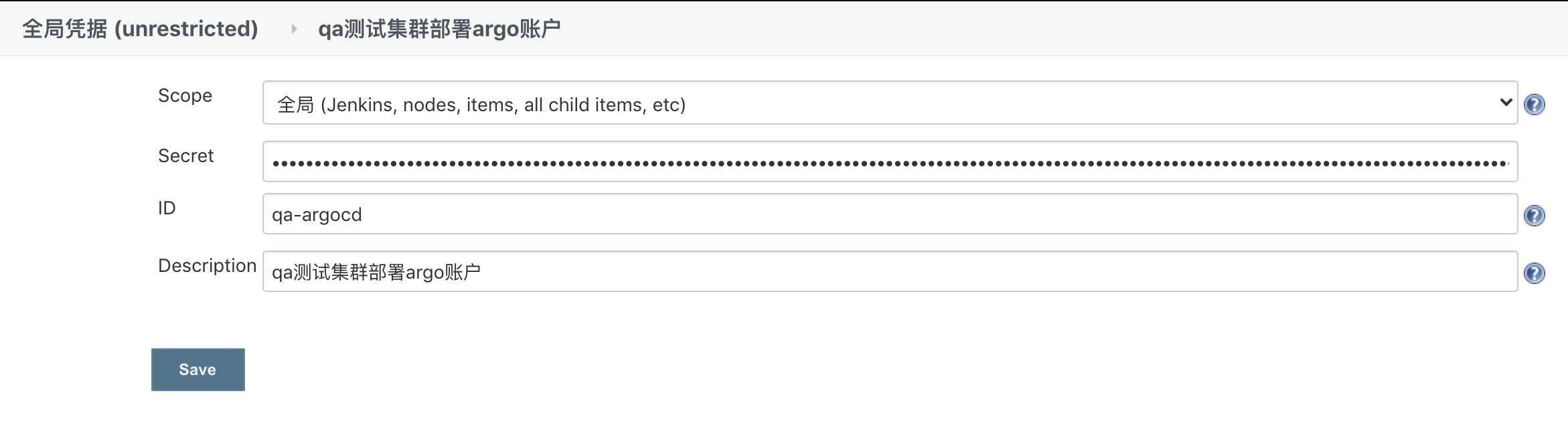
Jenkins Credential Configuration: ArgoCD Token
We’ll use the gotest project (https://code.test.cn/hqliang/gotest ) as an example.
Copy
 1
 2
 3
 4
 5
 6
 7
 8
 9
10
11
12
13
14
15
16
17
18
19
20
21
22
23
24
25
26
27
28
29
30
31
32
33
34
35
36
37
38
39
40
41
42
43
44
45
46
47
48
49
50
51
52
53
54
55
56
57
58
59
60
61
62
pipeline {
environment {
GOPROXY = "http://repo.test.cn/repository/goproxy/"
HUB_URL = "registry.test.cn"
ARGOCD_SERVER = "qacd.test.cn"
ARGOCD_PROJ = "test-project"
ARGOCD_APP = "gotest"
ARGOCD_REPO = "https://code.test.cn/devops/cicd/qa.git"
ARGOCD_PATH = "devops/gotest"
ARGOCD_CLUSTER = "https://172.16.19.250:8443"
ARGOCD_NS = "default"
}
agent {
node {
label 'aiops'
}
}
stages {
stage('Docker_Build') {
steps {
withCredentials([[$class : 'UsernamePasswordMultiBinding' ,
credentialsId : '12ff2942-972c-4df3-8d2d-2cfcb25e00de' ,
usernameVariable : 'DOCKER_HUB_USER' ,
passwordVariable : 'DOCKER_HUB_PASSWORD' ]]) {
sh '''
TAG=$(git describe --tags `git rev-list --tags --max-count=1`)
docker login registry.test.cn -u ${DOCKER_HUB_USER} -p ${DOCKER_HUB_PASSWORD}
make docker-all VERSION=$TAG
'''
}
}
}
stage(' Deploy_K8S') {
steps {
withCredentials([string(credentialsId : "qa-argocd" , variable : 'ARGOCD_AUTH_TOKEN' )]) {
sh '''
TAG=$(git describe --tags `git rev-list --tags --max-count=1`)
# Create app
ARGOCD_SERVER=$ARGOCD_SERVER argocd --grpc-web app create $ARGOCD_APP \
--project $ARGOCD_PROJ \
--repo $ARGOCD_REPO \
--path $ARGOCD_PATH \
--dest-namespace $ARGOCD_NS \
--dest-server $ARGOCD_CLUSTER \
--upsert --insecure
# Deploy app
ARGOCD_SERVER=$ARGOCD_SERVER argocd --grpc-web app set $ARGOCD_APP \
-p containers.tag=$TAG --insecure
# Sync to ArgoCD
ARGOCD_SERVER=$ARGOCD_SERVER argocd --grpc-web app sync $ARGOCD_APP \
--force --insecure
ARGOCD_SERVER=$ARGOCD_SERVER argocd --grpc-web app wait $ARGOCD_APP \
--timeout 600 --insecure
'' '
}
}
}
}
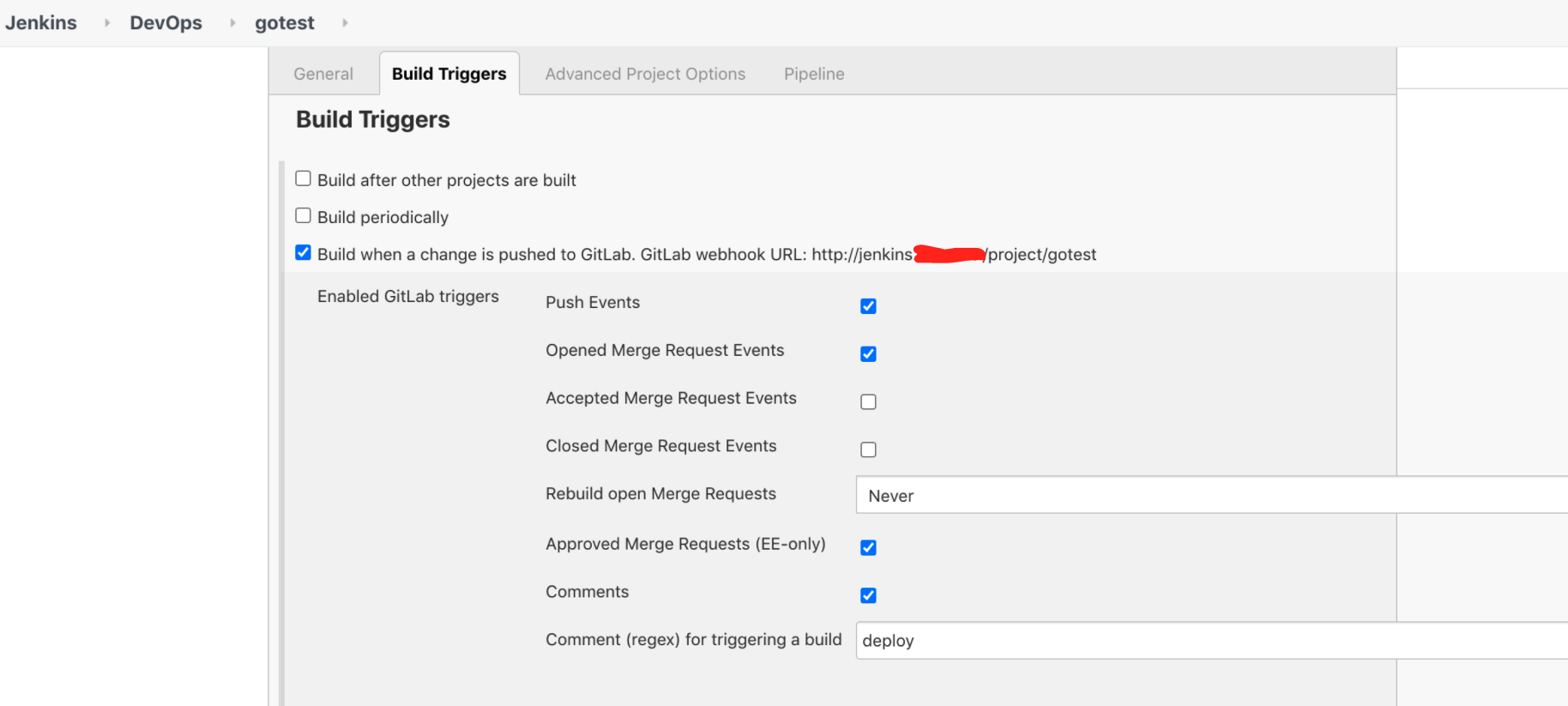
Jenkins Configuration: Trigger Build
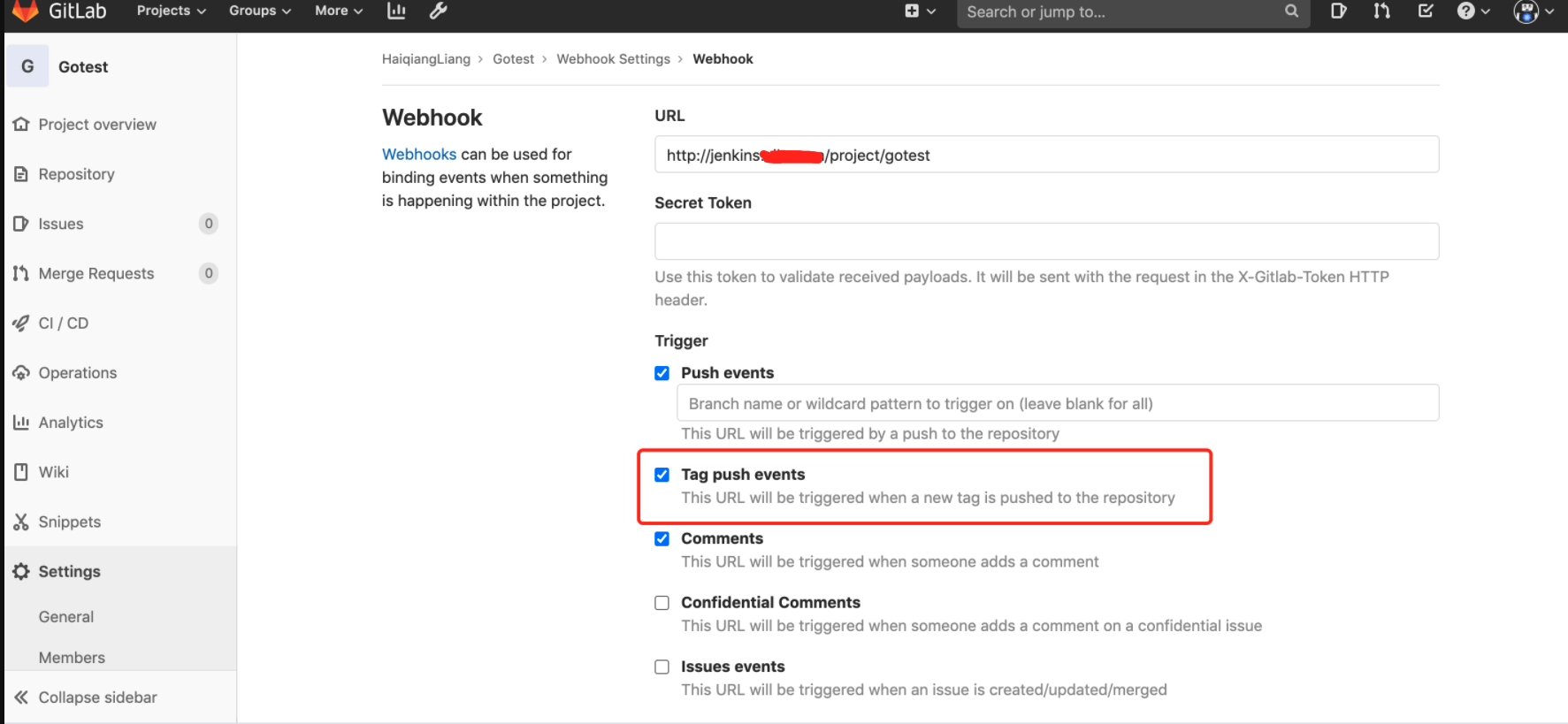
GitLab Webhook Configuration
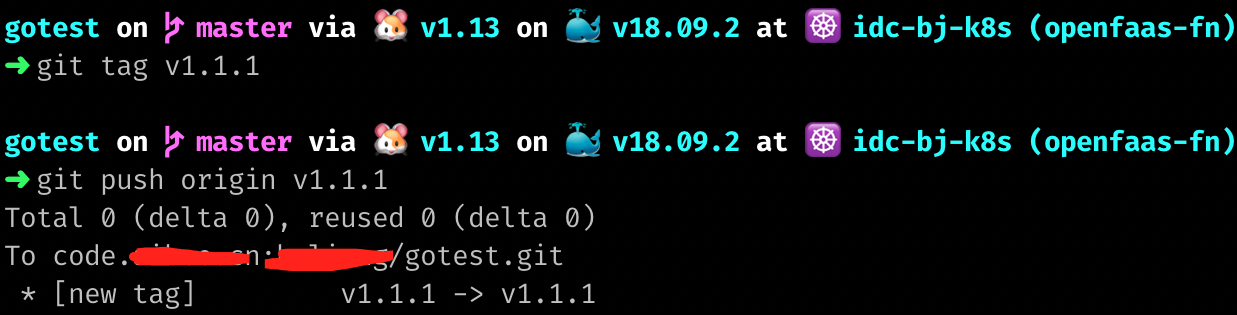
Push Tag to Remote Branch
Jenkins Pipeline Build
Check the Jenkins pipeline build result:
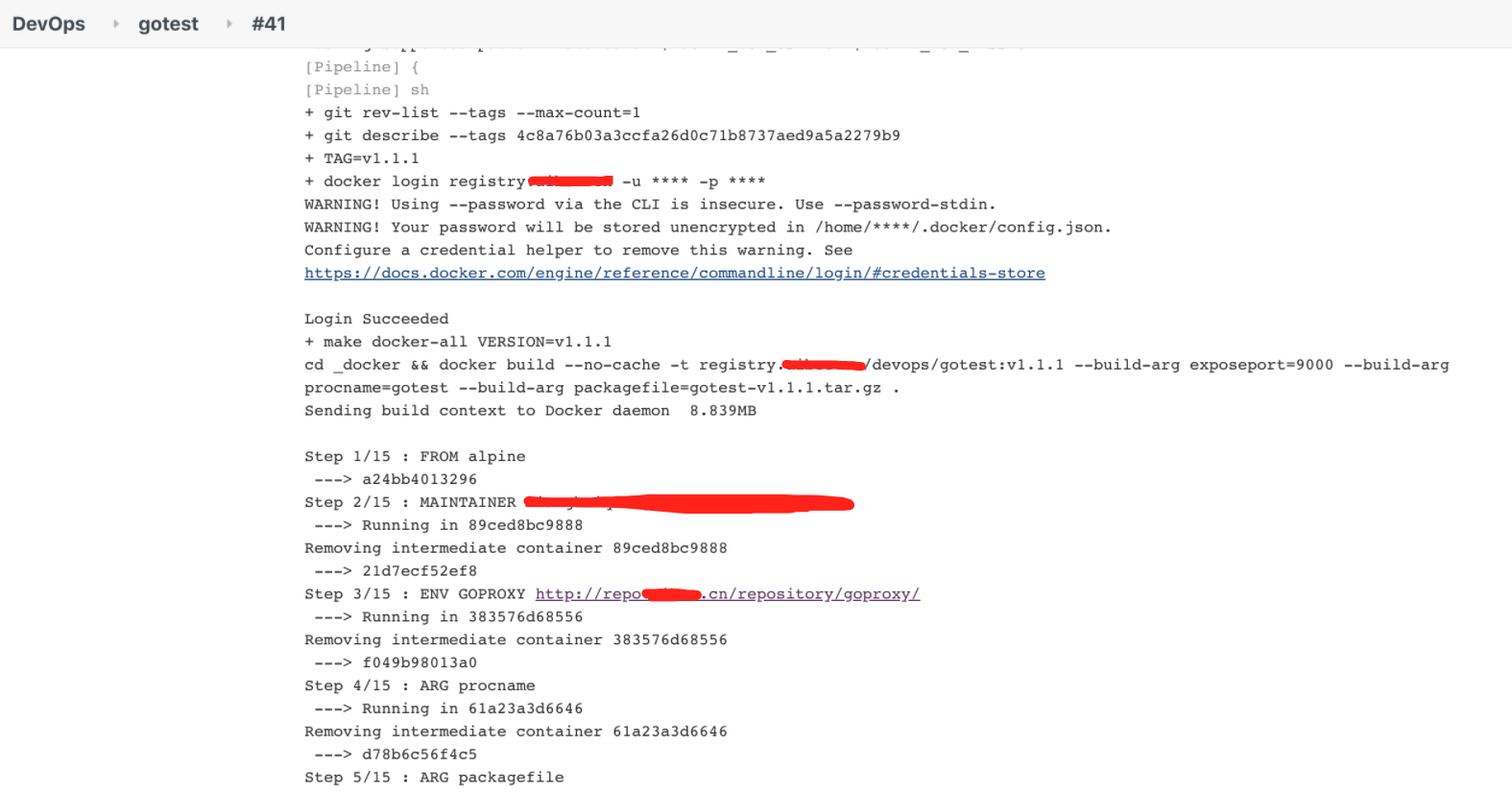
Docker automatically builds and pushes the image to Harbor:
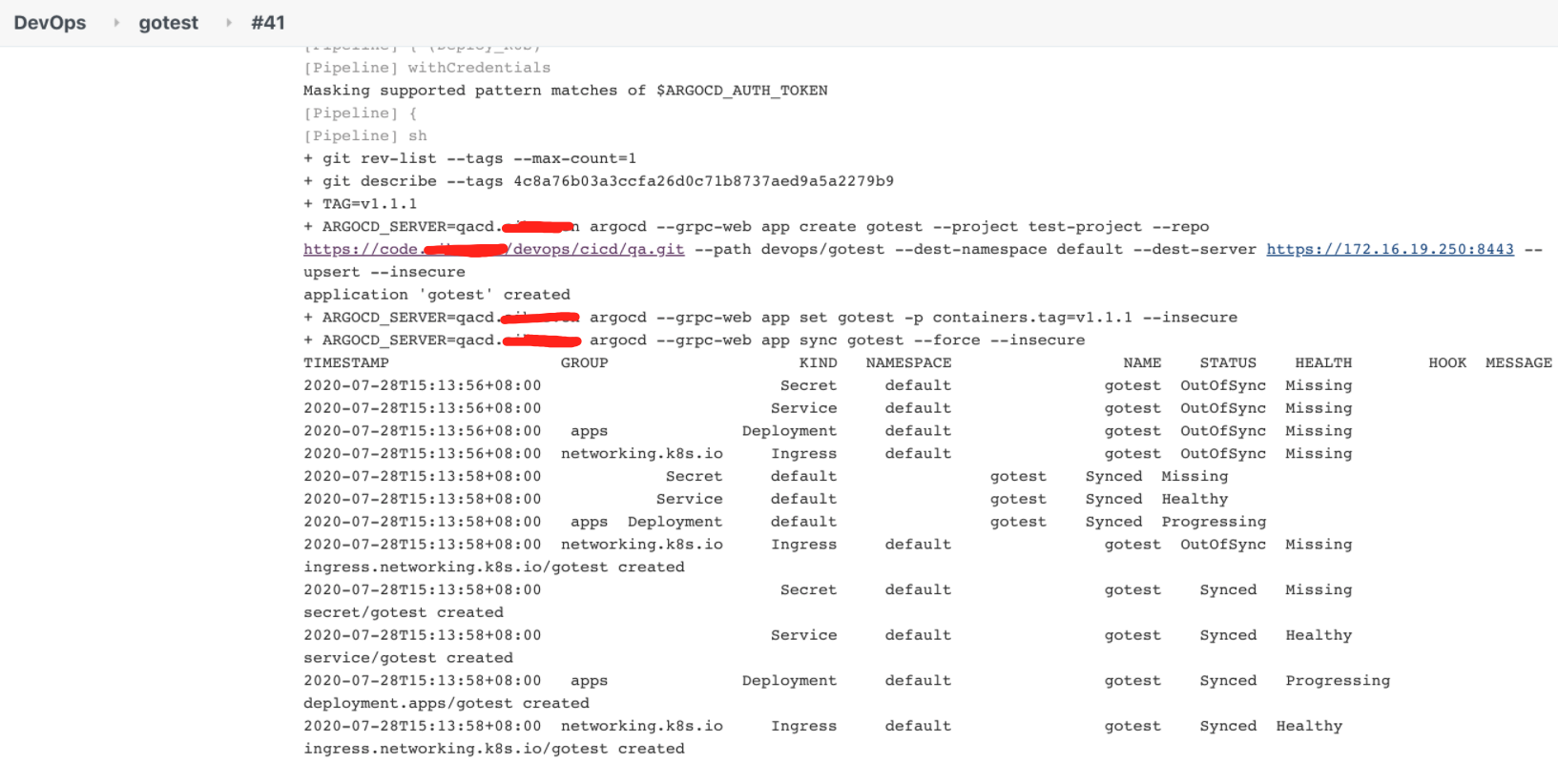
Create Argo application and sync deployment to Kubernetes cluster:
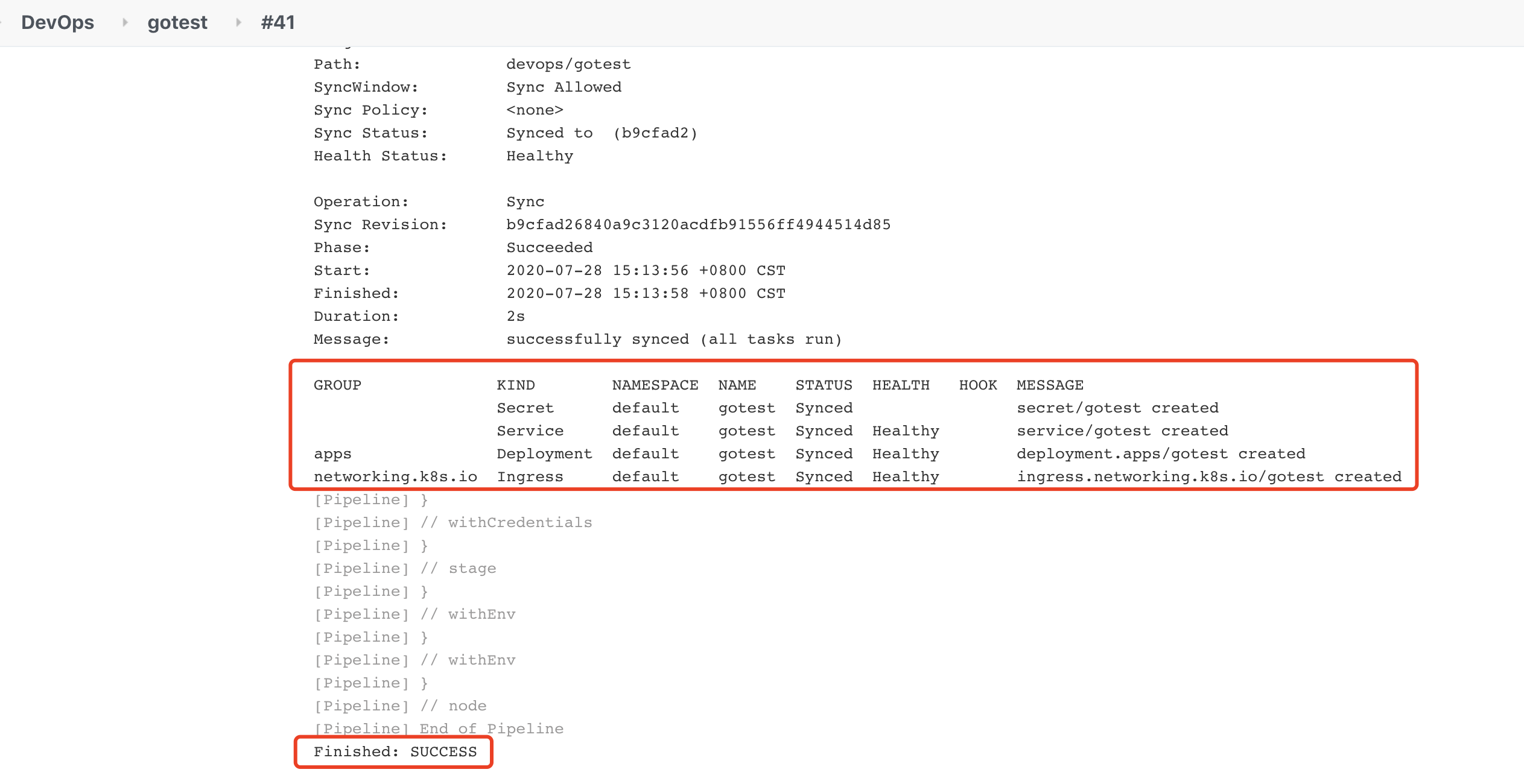
Finally, check the sync status — indicating successful deployment to the Kubernetes cluster:
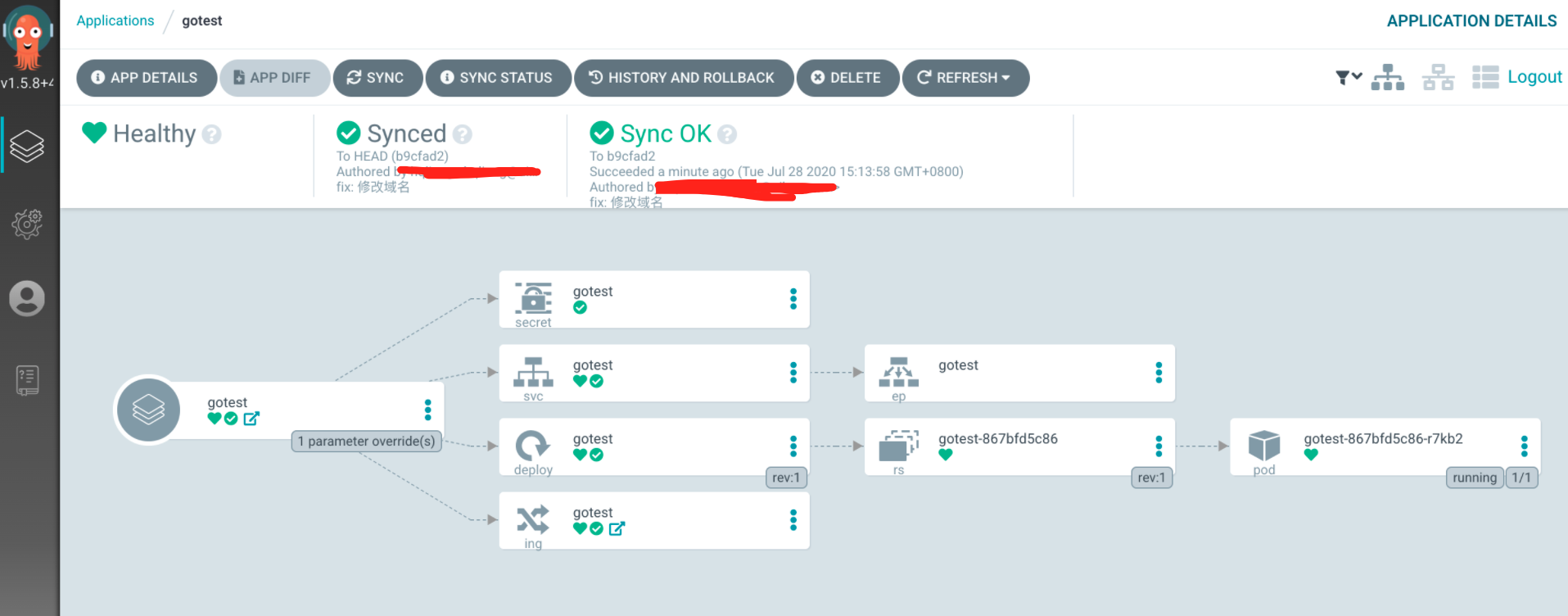
View the application workflow graph in ArgoCD’s dashboard — all components are running normally:
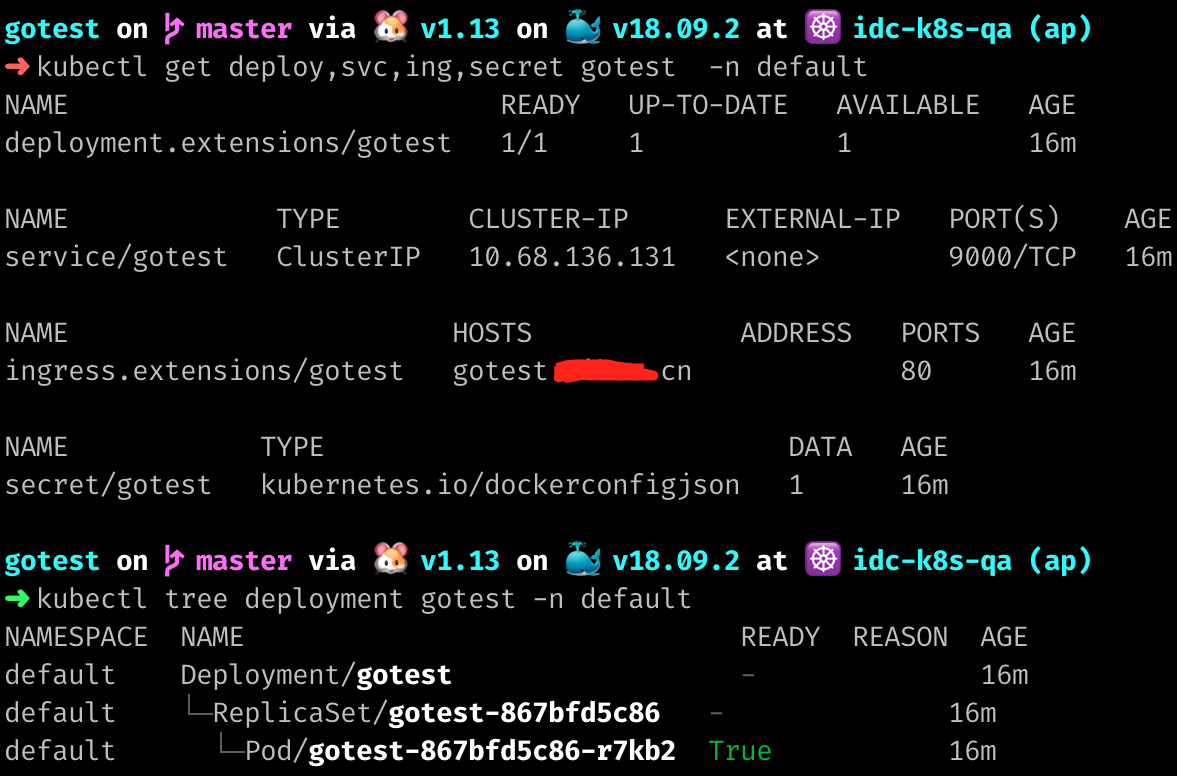
Use kubectl to verify the created resources:
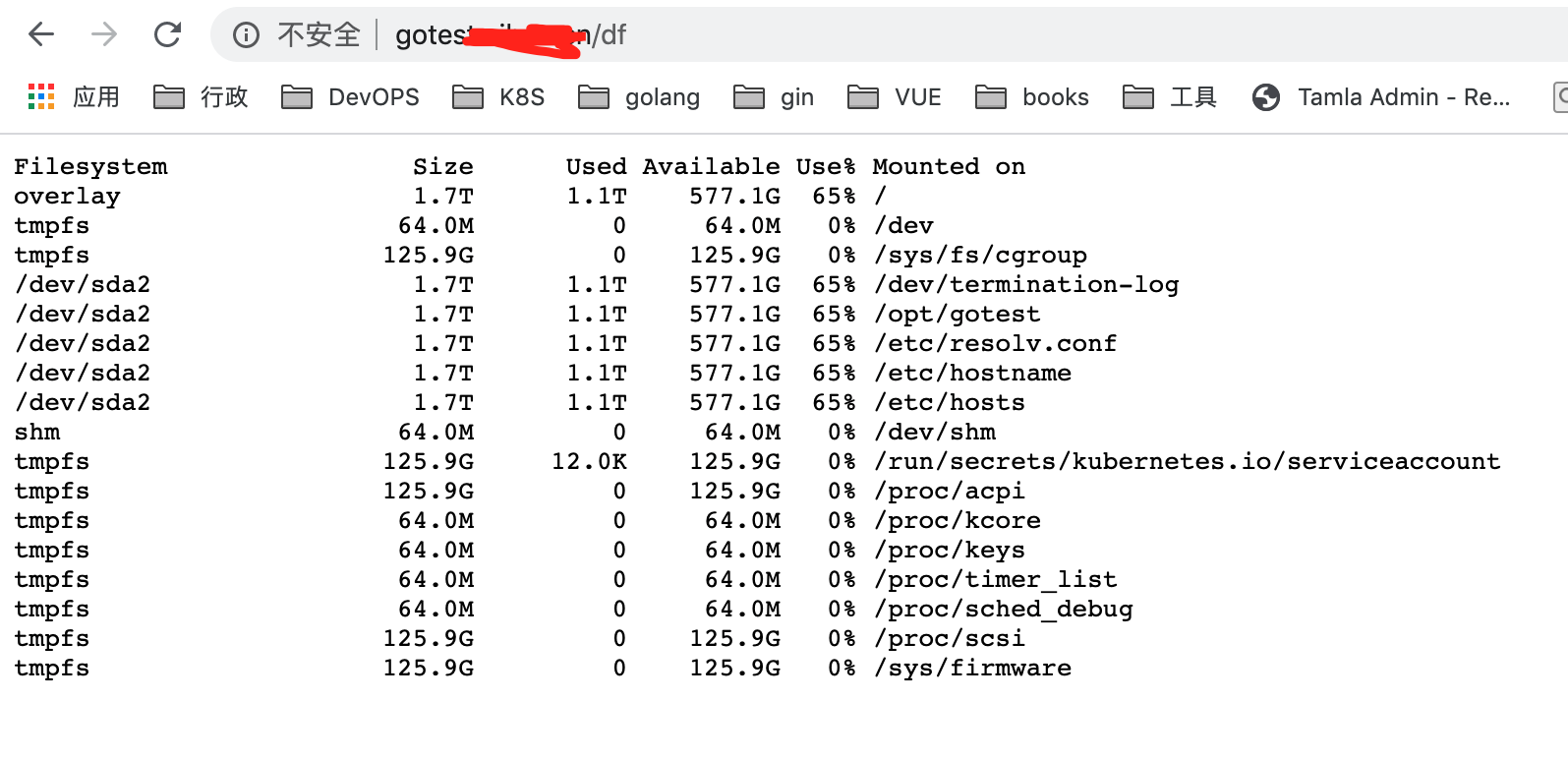
Finally, validate if the service is accessible: visit http://gotest.test.cn/df to check container disk space.
Summary & Optimization
Whether using Jenkins pipelines or GitLab CI, we can better integrate ArgoCD to achieve one-click deployment of applications.